
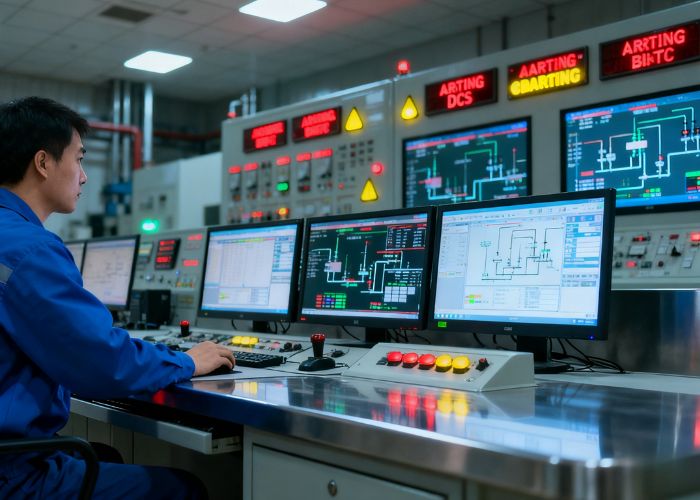
DCS alarms flooding your screen and process downtime escalating costs? Effective troubleshooting demands more than guesswork—it requires a disciplined, triage-based methodology.
Master the systematic approach that expert engineers use: rapidly diagnose hardware failures, decode control logic conflicts, and leverage historical data to isolate the true root cause. Restore stability and optimize your plant’s performance by following these proven steps.
I remember getting a call late one night from Hassan, a chief engineer I’ve worked with for years. His plant was facing a huge problem with a critical control loop, and the pressure was on. He had his team checking everything, but they were running in circles. This kind of situation is stressful, but it’s also where a clear process makes all the difference. Having a structured approach to DCS troubleshooting is not just helpful; it’s essential for getting your operations back online safely and quickly. Let’s walk through the exact steps you can take, starting with the very first actions when an alarm sounds.
Prioritizing Alarms and Initial System Checks
An alarm flood is overwhelming your screen. You cannot figure out where to start looking. Following a structured plan for your initial checks will guide you to the source.
Always start your DCS troubleshooting by identifying the primary alarm. Then, check the I/O card status, controller health, and network communication lights. This initial physical layer check often reveals the simplest and most common problems quickly. This prevents you from wasting time on complex theories.
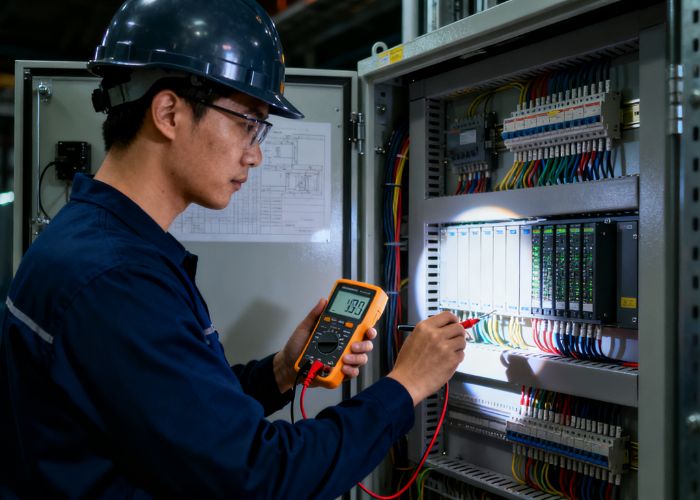
When you face dozens of alarms, your first job is to find the one that triggered all the others. This is the root cause. Newer operators often get distracted by secondary or consequential alarms. They might see a "High Tank Level" alarm and a "Low Feed Flow" alarm and try to fix both. But an experienced engineer like Hassan knows that one likely caused the other. The key is to look at the timestamps. The very first alarm in the sequence is almost always your best clue. Once you have that primary alarm, you can begin your physical inspection. This is the most crucial part of DCS troubleshooting in chemical plants because many complex issues start with a simple physical failure.
Understanding Alarm Priority
Your DCS organizes alarms to help you focus. Critical alarms demand immediate attention because they signal a threat to safety or major equipment. High-priority alarms indicate serious process deviations that could lead to production loss. You should address these promptly. Low-priority alarms are informational and can often wait.
| Alarm Priority | Typical Meaning | Required Action | Example |
|---|---|---|---|
| Critical | Imminent safety hazard or damage | Immediate operator intervention | Emergency Shutdown (ESD) initiated |
| High | Major process upset | Urgent action required | Reactor temperature exceeding limit |
| Low | Minor process deviation | Monitor and address when possible | Utility pump status change |
The Physical Layer Checklist
Before you ever look at a line of code, you need to check the hardware. Start with the basics. Look at the DCS cabinet. Are the lights on the controllers and I/O cards green? A red or amber light is a direct sign of a problem. Check the power supplies for each component. Then, move to the field. Is the instrument powered on? Check the terminal blocks for any loose wires. A simple vibration can sometimes knock a wire loose and cause an intermittent fault that is very hard to find. I once helped a client who spent a full day troubleshooting a control valve that wouldn’t open. The issue turned out to be a single loose wire in a field junction box. That simple physical check could have saved them a day of lost production. This is a fundamental step in all DCS troubleshooting.
Analyzing Control Logic and Software Configuration
The physical hardware seems fine, but the system is not working. The issue must be hidden in the code. A methodical software analysis will find the problem.
Once you confirm the hardware is healthy, move to the software. Review the control logic blocks for the faulty loop. Check the controller mode, setpoints, and tuning parameters. Also, verify that no interlocks or permissive conditions are preventing normal operation. This detailed review is key to DCS troubleshooting.
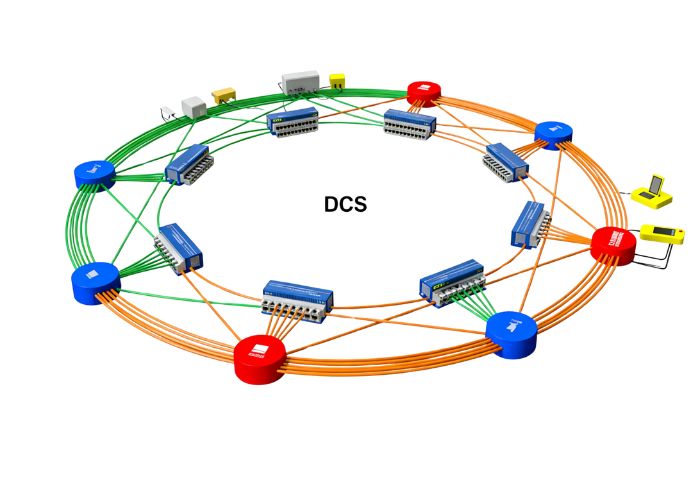
If your physical checks come up empty, the problem is likely within the DCS software configuration. This part can feel intimidating, but it follows a logical path. You are looking for something that is telling the system to behave incorrectly. Think of yourself as a detective following clues. The control logic is your map. I worked with Hassan’s team once on an issue where a pump kept tripping for no apparent reason. All the hardware was perfect. We opened the logic diagram for the pump. We traced every input that could cause it to shut down. Deep in the logic, we found an interlock tied to the level of a tank that was not directly related to the pump’s main function. A faulty level transmitter on that other tank was sending a false low-level signal, which tripped the pump. The issue had nothing to do with the pump itself. This is why thorough DCS troubleshooting in chemical plants demands a deep dive into the software.
Tracing the Logic Path
You need to work backward from the problem. If a control valve is stuck closed, open the function block diagram for that valve in the DCS. Look at the output block. What signals are feeding into it? Is there an interlock that is forcing it shut? Is the controller in manual mode when it should be in auto? You must trace each input signal back to its source. This might lead you through several logic blocks.
- Check Controller Mode: Is the loop in Auto, Manual, or Cascade? An operator may have put it in Manual and forgotten to switch it back.
- Verify Setpoints: Is the setpoint reasonable? A typo in a setpoint entry can cause major process upsets.
- Examine Interlocks: Interlocks are safety features. They can shut down equipment if certain conditions are not met. You must verify that all permissive conditions are true.
Finding Configuration Errors
Configuration errors are subtle but can cause big problems. Someone might have changed a parameter for testing and forgotten to change it back. Or a recent software update might have introduced an error. Effective DCS troubleshooting involves comparing the current configuration to a known good version or to the design documents.
| Common Error | Description | How to Check |
|---|---|---|
| Incorrect Tuning | PID values are too aggressive or too sluggish. | Review tuning parameters (P, I, D) and trends. |
| Wrong Scaling | A sensor’s raw signal is not scaled correctly to units. | Check the range (e.g., 4-20 mA = 0-100 psi). |
| Disabled Logic | A critical part of the logic has been bypassed or forced. | Look for "force" flags or bypassed blocks. |
| Bad Actor Alarm Limits | Alarm setpoints are too tight, causing nuisance alarms. | Review alarm configuration and history. |
Checking these software elements systematically will help you uncover hidden issues that a purely hardware-focused approach would miss. It completes the picture for comprehensive DCS troubleshooting in chemical plants.
Using Historical Data and Trend Analysis
The problem is intermittent and disappears when you investigate. You are struggling to find a consistent cause. Using historical data can reveal patterns you cannot see in real-time.
When a problem is not obvious from hardware or software checks, use the historian. Analyze trends for the process variables around the time of the fault. Look for unusual patterns, oscillations, or correlations with other parts of the plant. This historical analysis is a powerful tool for complex DCS troubleshooting.
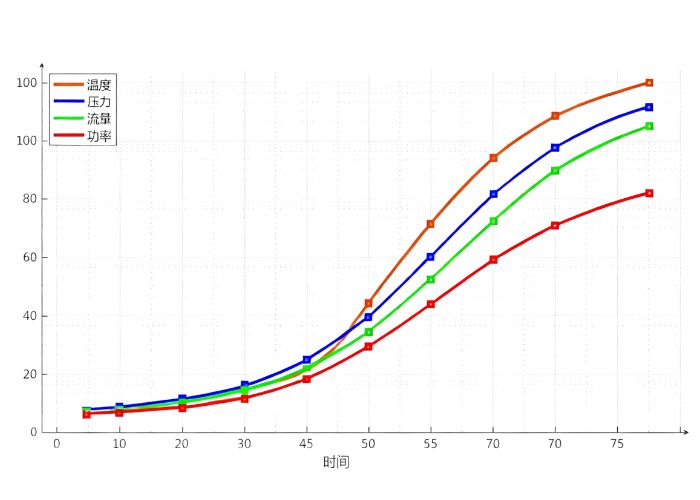
Sometimes the problem isn’t a simple failure; it’s a dynamic issue within the process itself. This is where your skills as an engineer truly shine. A DCS historian is like a flight recorder for your plant. It records everything. I once helped a customer who was dealing with random temperature spikes in a reactor. They happened so fast that by the time operators responded, everything looked normal again. We couldn’t find any hardware or logic problems. So, we went to the historian. We pulled up the trends for the reactor temperature, the feed flow rates, and the steam valve position. By overlaying these trends, we saw a clear pattern. Every time a specific upstream unit made a grade change, it caused a small, temporary dip in feed pressure. This dip made their steam control valve overreact, creating the temperature spike. The problem was not in the reactor’s control loop at all. The solution was to adjust the tuning of the steam valve to make it less aggressive. This kind of advanced DCS troubleshooting in chemical plants is impossible without using historical data.
Identifying Patterns in Trends
Your goal is to become a pattern recognition expert. Look at the trends leading up to, during, and after a fault. You are searching for clues that tell a story about what happened in the process.
- Oscillations: Is a variable swinging back and forth in a regular pattern? This often points to a poorly tuned PID loop or a physical problem like a sticky control valve (stiction). A valve that is physically sticking will cause the controller to constantly fight to find the right position, creating this tell-tale wave pattern in the trend.
- Sudden Spikes or Drops: Did a variable change instantly? This usually indicates an instrument failure or a sudden process event, like a pump trip. A real process variable rarely changes instantaneously.
- Correlations: Does the problem always happen when another variable changes? As in my story, you need to look beyond the immediate problem area. Trend related variables from upstream and downstream units. You might find that the root cause is located in a completely different part of the plant.
The Power of Data Comparison
Don’t just look at the problem period. Compare the trend data from when the system was running poorly to a time when it was running well. This "good vs. bad" comparison can make subtle issues stand out.
| Analysis Technique | Description | What It Helps You Find |
|---|---|---|
| Overlaying Trends | Place multiple related trends (e.g., level, inflow, outflow) on one graph. | Cause-and-effect relationships between different process variables. |
| Time-Shift Analysis | Compare the same trend from today versus last week. | Gradual degradation of equipment or catalyst performance. |
| Event-Based Analysis | Focus the trend view tightly around the exact timestamp of an alarm or trip. | The sequence of events and which variable moved first. |
Using the historian transforms DCS troubleshooting from guesswork into data-driven science. It is an essential skill for any engineer responsible for keeping a modern chemical plant running efficiently and safely.
Conclusion
Mastering DCS troubleshooting requires a structured method. By checking hardware, software, and data in order, you can solve problems efficiently and keep your plant running smoothly.


 English
  Arabic
  Russian
  French
  Spanish